One Clear Space

For iPhone and iPad

Less clutter.
More room for you.

Make room for a notebook, a cutting board, or a cup of tea. One Clear Space guides you through one small part of your home in 3, 5, or 10 minutes.

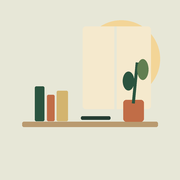
An open notebook and pencil on a sunlit wooden desk, with room around them to work.

Room-by-room guides

Where would you
like to start?

There are seven guided resets for each of six spaces. Choose a room to try the first three steps from the app.

Desk / Sample reset

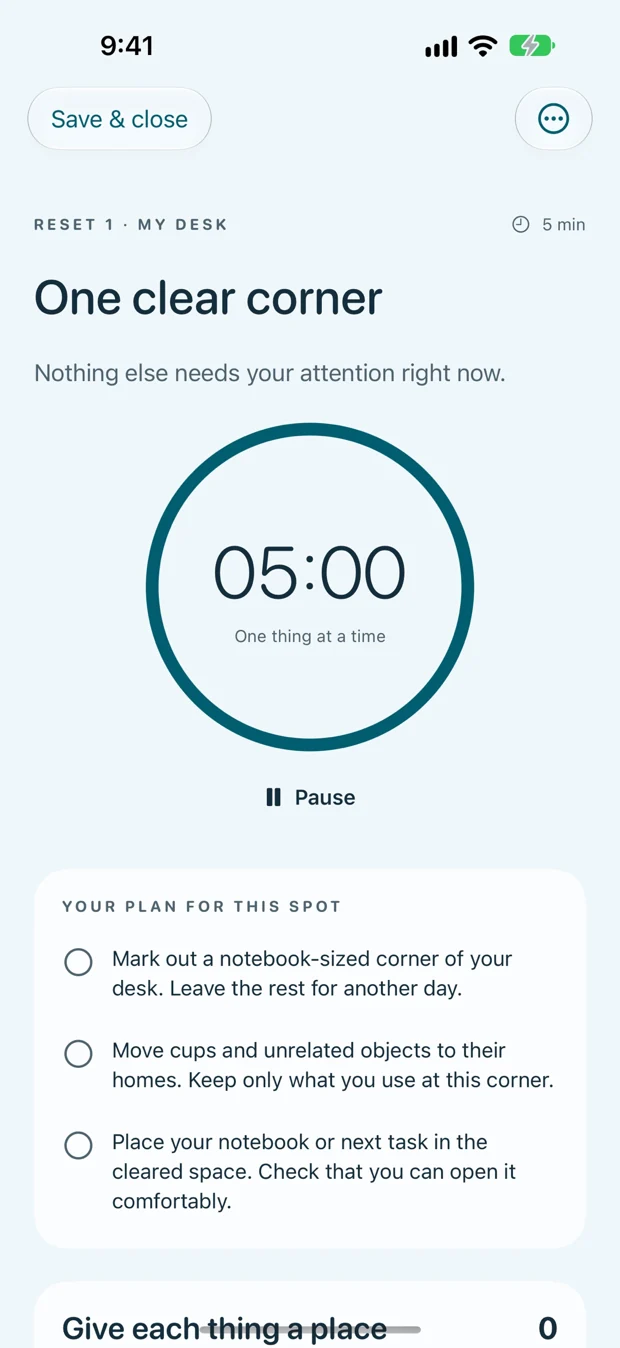
One clear corner

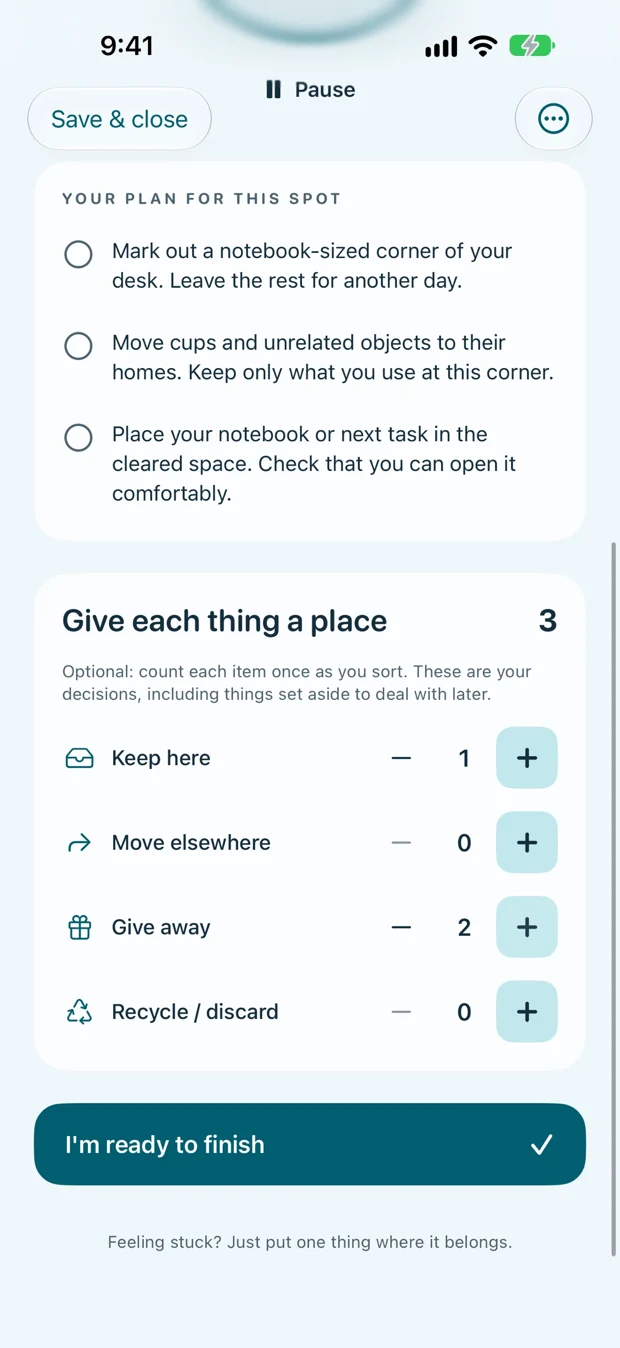
  1. Mark out a notebook-sized corner of your desk. Leave the rest for another day.
  2. Move cups and unrelated objects to their homes. Keep only what you use at this corner.
  3. Place your notebook or next task in the cleared space. Check that you can open it comfortably.
Kitchen / Sample reset

One clear counter

  1. Choose one cutting-board-sized patch of counter, away from hot appliances.
  2. Return food, mail, and unused utensils to their usual places. Keep cleaning products separate from food.
  3. Leave enough room to put down your cutting board. Keep only the items you use at this spot.

Entryway / Sample reset

A clear landing spot

  1. Choose a small landing spot inside the door. Keep the door's swing and exit route clear.
  2. Move mail, bags, and loose items to their intended rooms.
  3. Give the things you need when leaving a small tray or hook. Leave the rest of the landing spot open.

Bedroom / Sample reset

Your bedside space

  1. Choose one bedside surface. Keep lamps and electrical connections undisturbed.
  2. Return old cups, packaging, and unrelated objects to their homes.
  3. Leave only the things you use at bedtime within reach. Make room for a book or a glass of water.

Living room / Sample reset

The coffee table

  1. Choose one section of the coffee table, about the size of a magazine.
  2. Return cups and dishes to the kitchen and put unrelated items in their homes.
  3. Keep only what you use at this spot. Check that there is room to set down a cup.

Bathroom / Sample reset

The sink-side space

  1. Choose one side of the basin. Keep electrical items safely away from water.
  2. Put away products you do not use at this sink and gather empty packaging.
  3. Leave your daily soap and essentials with room around them. Keep the tap and basin easy to use.

Inside One Clear Space

From the first item
to the last look.

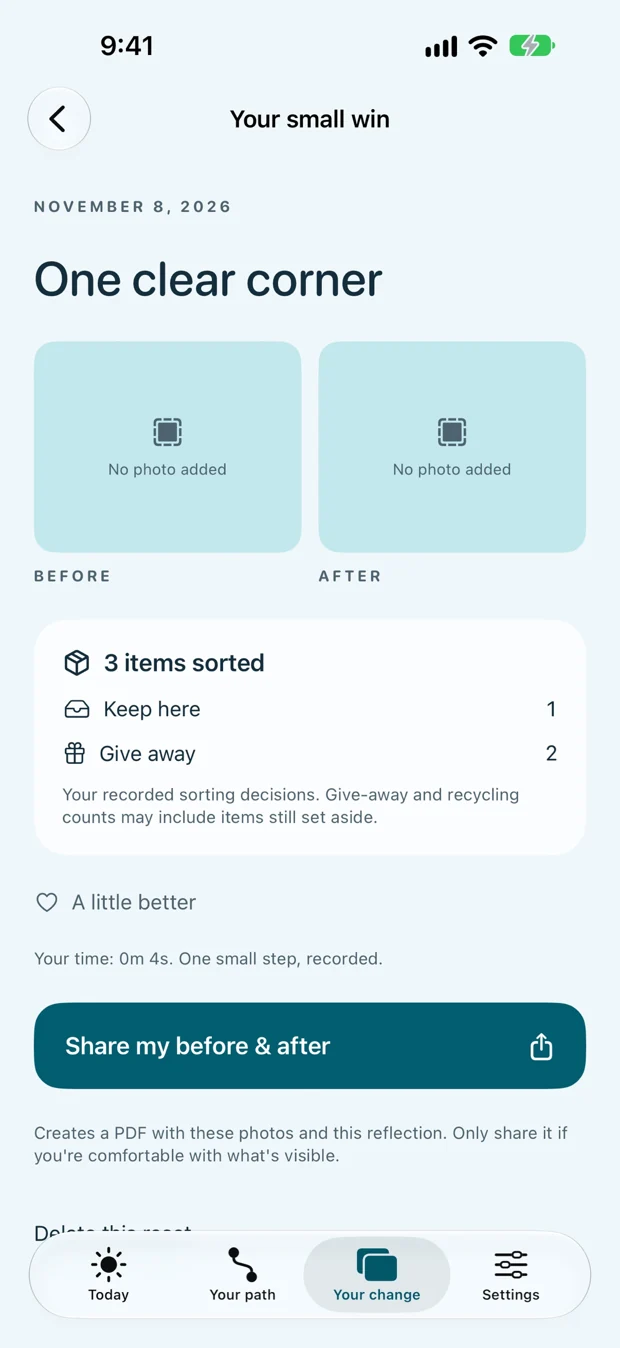
Name the spot you want to clear. As you go, keep track of what stays, what moves, and what you’re ready to let go.

One Clear Space for iOS

Your first reset is free.

One Clear Space is awaiting App Store release. Whole Home is an optional one-time purchase for all 42 resets and repeat paths. Your saved records, photos, and exports stay available after the free reset.

Purchase and restore help